1. อัปโหลด PDF
เลือกไฟล์ PDF ของคุณหรือลากแล้ววางลงในพื้นที่อัปโหลด รองรับไฟล์ PDF หลายไฟล์สำหรับการประมวลผลแบบชุด เหมาะสำหรับผู้ที่ต้องการบีบอัดหน้า PDF อย่างรวดเร็ว
ลดขนาดไฟล์ PDF ได้ถึง 90% โดยไม่สูญเสียคุณภาพ เครื่องมือบีบอัด PDF ที่รวดเร็ว ปลอดภัย และฟรีโดยสมบูรณ์
ปล่อยเพื่อเพิ่มไฟล์
At PDF Techno, try the smartest online PDF compressor available. Some compress PDF online free platform reduce size but affect the quality, whereas others barely reduce size. But our free online PDF compressor is built with advanced size optimisation, adaptive quality control, and blazing-fast performance. It analyzes your document and applies the right level of compression suitable for it. Just open your browser and compress a PDF online free - no installation required.
ง่าย รวดเร็ว และปลอดภัย—บีบอัดเอกสาร PDF ในสามขั้นตอนง่ายๆ
เลือกไฟล์ PDF ของคุณหรือลากแล้ววางลงในพื้นที่อัปโหลด รองรับไฟล์ PDF หลายไฟล์สำหรับการประมวลผลแบบชุด เหมาะสำหรับผู้ที่ต้องการบีบอัดหน้า PDF อย่างรวดเร็ว
เลือกระดับการบีบอัดที่เหมาะกับความต้องการของคุณ: แนะนำ การบีบอัดสูง หรือการบีบอัดต่ำ เปิดใช้งานการแปลงโทนสีเทาเพื่อลดขนาด PDF ให้เล็กลงไปอีกและรักษาผลลัพธ์คุณภาพสูง
PDF ที่บีบอัดของคุณพร้อมใช้งานภายในไม่กี่วินาที! ดาวน์โหลดไฟล์ที่มีขนาดลดลงอย่างมากได้ทันที ง่ายต่อการแบ่งปันผ่านอีเมลหรือออนไลน์โดยไม่ลดทอนคุณภาพ
PDF Techno's free online PDF compressor is a powerful tool. It goes beyond basic shrinking to handle real-world documents.
You can compress multiple PDFs at once. Perfect for bulk documents and large projects
Our advanced system preserves the quality of the file. Get sharp output with a smaller size
To minimize PDF file size, convert a color PDF to grayscale with the grayscale option
We provide full privacy. Your file is never saved on the server
Compress your PDF in seconds. Get fast and instant results without compromise.
This online PDF compressor works perfectly on all major browsers. No download, no extension.
Get a professional compressed PDF file without any watermark.
ตัวเลือกการบีบอัด PDF ที่ปรับแต่งมาเพื่อลดขนาดไฟล์ในขณะที่ยังคงคุณภาพที่ดีที่สุดเท่าที่จะเป็นไปได้
สร้างสมดุลที่เหมาะสมระหว่างขนาดไฟล์ PDF และคุณภาพ
ต้องการบีบอัดขนาดไฟล์ PDF อย่างรุนแรงหรือไม่? เลือกตัวเลือกนี้สำหรับเอกสารขนาดเล็กที่เหมาะสำหรับอีเมล
ใช้ตัวเลือกนี้เมื่อคุณภาพเอกสารมีความสำคัญมากกว่าขนาด
แปลง PDF สีเป็นโทนสีเทาเพื่อลดขนาด PDF ให้เล็กลงไปอีก เหมาะสำหรับ PDF ที่มีข้อความมาก ใบแจ้งหนี้ และสัญญา ทำให้เอกสารดูคมชัดในขณะที่ลดขนาด
At PDF Techno, we know all PDFs are not the same, and each type compresses differently. Our online PDF compressor handles the three main categories
These PDFs are not created easily. They have been captured by a scanner or a phone camera. They are usually the heaviest type of PDF for the biggest compression gain.
These are scanned documents that run through optical character recognition software, detect the invisible text, and make it selectable and editable.
These are the true digitally created PDFs that are expected from Microsoft Word, Excel, PowerPoint, or some similar tools. They combine real text with images, fonts, and formatting.
Get ideal suggestions from our online PDF compressor to get better results with less guesswork. Our free online PDF compressor detects content patterns automatically and suggests the recommended option to proceed.
| PDF Type | Typical Size | Best Compression Mode | Expected Reduction |
|---|---|---|---|
| Image-only / Scanned | Very large | High + Grayscale | 80–90% |
| Searchable (OCR) | Large | Recommended | 60–80% |
| Digitally created | Moderate | Low or Recommended | 30–60% |
Companies and people do not just want to reduce PDF size. They just want it under 2MB or under 1MB because of a form, inbox, or a portal's demand. If you are one of them, you need to compress PDF online for free to reach an exact MB target. Here is a practical thing to do.
This is the ideal process to get common limits like 5 MB, 2 MB, and 1MB. If you want to target something smaller like 100 KB, it depends on the file you have. We cannot realistically shrink the file without reducing quality control.
PDF file contains a lot of text, high-resolution images, embedded fonts, layers, data, repetitive objects, and more, which makes a PDF file larger for the requirements of a portal, etc. You need to compress your PDF file. It does not just save space, but it resolves a daily problem. By compressing your PDF file with our online PDF Compressor, you can
ค้นพบว่าทำไมผู้ใช้ถึงชื่นชอบโปรแกรมบีบอัด PDF ที่รวดเร็ว ปลอดภัย และมีประสิทธิภาพของเรา
"ฉันมีงานนำเสนอขนาด 40MB ที่ต้องส่งทางอีเมล แต่มันใหญ่เกินไปที่จะแนบ เครื่องมือนี้ลดขนาดลงเหลือเพียง 7MB โดยไม่มีการลดคุณภาพที่สังเกตเห็นได้ คุณสมบัติ PDF ที่บีบอัดคุณภาพสูงเป็นเครื่องช่วยชีวิต!"
โรหิต เมห์รา
ผู้จัดการฝ่ายการตลาด
"ฉันกังวลเรื่องการอัปโหลดสัญญาที่เป็นความลับ แต่การบีบอัด PDF ที่ปลอดภัยทำให้ฉันสบายใจ คุณสมบัติการบีบอัดแบบชุดช่วยให้ฉันประหยัดเวลาได้มาก และตัวเลือกโทนสีเทาก็ลดขนาดไฟล์ของฉันลงครึ่งหนึ่ง!"
สเนฮา คาปูร์
ที่ปรึกษาด้านกฎหมาย
"ฉันลองใช้เครื่องมือหลายตัว แต่ตัวนี้ให้ระดับการบีบอัดที่สมบูรณ์แบบ ฉันชอบที่สามารถเลือกระหว่างการบีบอัดแบบแนะนำ สูง และต่ำ และเห็นผลลัพธ์ได้ทันที หน้า PDF ที่บีบอัดของฉันดูไร้ที่ติ!"
อาทิตยา ชาร์มา
นักวิเคราะห์ธุรกิจ
ทุกสิ่งที่คุณจำเป็นต้องรู้เกี่ยวกับเครื่องมือบีบอัด PDF ของเรา
เครื่องมือขั้นสูงของเราสามารถบีบอัดไฟล์ PDF ได้ 30-90% ขึ้นอยู่กับระดับการบีบอัดที่คุณเลือก การบีบอัดที่แนะนำจะลดขนาดลง 60-80% ในขณะที่ยังคง PDF ที่บีบอัดคุณภาพสูงไว้
ใช่ คุณสามารถอัปโหลดไฟล์ PDF แต่ละไฟล์ได้สูงสุด 100MB โดยมีขีดจำกัดการอัปโหลดรวม 200MB สำหรับเอกสารขนาดใหญ่ คุณสามารถแยกไฟล์เหล่านั้นก่อนหรือติดต่อเราเพื่อขอโซลูชันระดับองค์กร
การบีบอัดที่แนะนำ → สมดุลที่ดีที่สุดระหว่างขนาดไฟล์และคุณภาพ
การบีบอัดสูง → ลดขนาดไฟล์สูงสุด (80-90%) โดยคุณภาพลดลงเล็กน้อย
การบีบอัดต่ำ → ลดขนาดน้อยที่สุดแต่รักษาคุณภาพ PDF ดั้งเดิมไว้
ใช้การบีบอัดโทนสีเทาสำหรับเอกสารที่มีข้อความมาก เช่น สัญญา ใบแจ้งหนี้ และรายงาน มันสามารถลดขนาด PDF ลงได้อีก 20-30% โดยไม่ส่งผลกระทบต่อความสามารถในการอ่าน
ไม่จำเป็น! ด้วยตัวเลือกการบีบอัดที่แนะนำ คุณจะได้รับ PDF ที่บีบอัดคุณภาพสูงในขณะที่ลดขนาดไฟล์ลงอย่างมาก เฉพาะการตั้งค่าการบีบอัดสูงเท่านั้นที่อาจส่งผลกระทบเล็กน้อยต่อความคมชัดของภาพ
ได้! เครื่องมือของเรารองรับการประมวลผลแบบชุดเพื่อให้คุณสามารถบีบอัดไฟล์ PDF หลายไฟล์ออนไลน์พร้อมกันได้ ช่วยประหยัดเวลาและความพยายามของคุณ
แน่นอน เราใช้การเข้ารหัสระดับธนาคารและลบไฟล์ที่อัปโหลดทั้งหมดออกจากเซิร์ฟเวอร์ของเราโดยอัตโนมัติหลังการประมวลผล ทำให้มั่นใจได้ถึงความเป็นส่วนตัวและความปลอดภัยของข้อมูลที่สมบูรณ์
ได้ ตราบใดที่คุณป้อนรหัสผ่านที่ถูกต้อง เมื่อปลดล็อกแล้ว คุณสามารถบีบอัดขนาดไฟล์ PDF ได้เหมือนกับเอกสารอื่นๆ
ได้! เครื่องมือของเราทำงานได้อย่างราบรื่นบนสมาร์ทโฟนและแท็บเล็ต ทำให้คุณสามารถบีบอัด PDF ออนไลน์ได้ทุกที่ทุกเวลาโดยไม่ต้องติดตั้งซอฟต์แวร์เพิ่มเติม
เครื่องมือของเราทำงานกับ PDF ทุกประเภท ตั้งแต่เอกสารที่สแกนและแบบฟอร์มไปจนถึงงานนำเสนอและ eBook ที่มีรูปภาพมาก คุณสามารถบีบอัดหน้า PDF ได้อย่างง่ายดายโดยไม่สูญเสียการจัดรูปแบบหรือคุณภาพของเค้าโครง
ทำให้เวิร์กโฟลว์ของคุณราบรื่นขึ้นด้วยชุดเครื่องมือแปลงไฟล์ PDF และการจัดการเอกสารที่สมบูรณ์แบบของเรา:
แปลงเอกสาร Word เป็น PDF คุณภาพสูงได้อย่างง่ายดายโดยไม่สูญเสียการจัดรูปแบบ
Try now →ลดขนาดไฟล์ในขณะที่ยังคงความชัดเจนและคุณภาพระดับมืออาชีพ
Try now →รวม PDF หลายไฟล์เข้าเป็นเอกสารเดียวที่จัดระเบียบในไม่กี่วินาที
Try now →แยก PDF ขนาดใหญ่ให้เป็นไฟล์ขนาดเล็กที่จัดการได้ง่ายขึ้นอย่างง่ายดาย
Try now →เปลี่ยนรูปภาพของคุณให้เป็น PDF ได้ทันทีด้วยคุณภาพที่คมชัด
Try now →ดึงข้อมูลตารางจาก PDF และแปลงเป็นแผ่นงาน Excel ที่แก้ไขได้อย่างเต็มที่
Try now →เปลี่ยนรายงาน PDF ของคุณให้เป็นงานนำเสนอ PowerPoint ที่น่าทึ่ง
Try now →ลบการป้องกันด้วยรหัสผ่านออกจาก PDF ที่ปลอดภัยได้อย่างปลอดภัย
Try now →เพิ่มการเข้ารหัสที่แข็งแกร่งและการป้องกันด้วยรหัสผ่านให้กับ PDF ของคุณ
Try now →
Learn how to convert XML to PDF online for free with PDFTechno. Upload, choose Tabled, Structured or Hybrid view, and download your PDF in 5 steps.
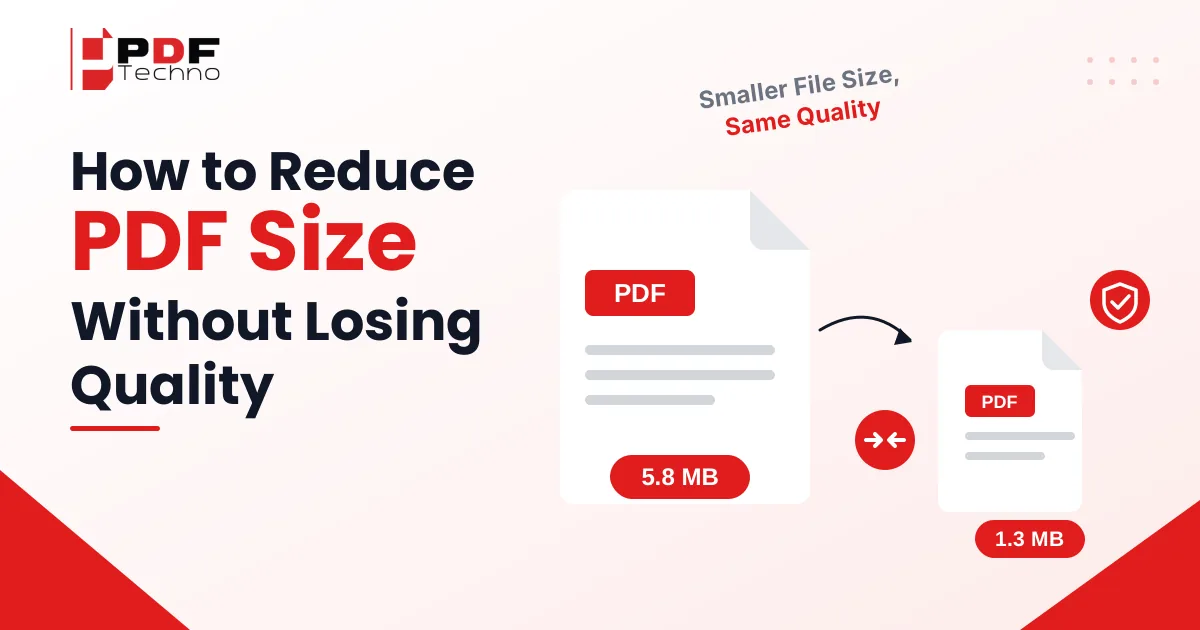
Reduce PDF size without losing quality in 6 easy ways. Compress scanned PDFs by up to 90% for free, no sign-up needed. Try it now and keep text sharp.

Learn how to remove watermark from PDF online. Discover why PDF watermarks need to be removed and how to remove them using PDF Techno.

Learn how to request a signature online and send PDFs for electronic signing. See how to request electronic signatures with PDF Techno.

Convert PDF to Markdown online with PDF Techno. Learn why PDF to Markdown is useful and how to turn PDF content into editable Markdown files.

Have too many PDF files? Learn how to combine multiple PDFs into one organized document for easier sharing, submission, storage, and management.