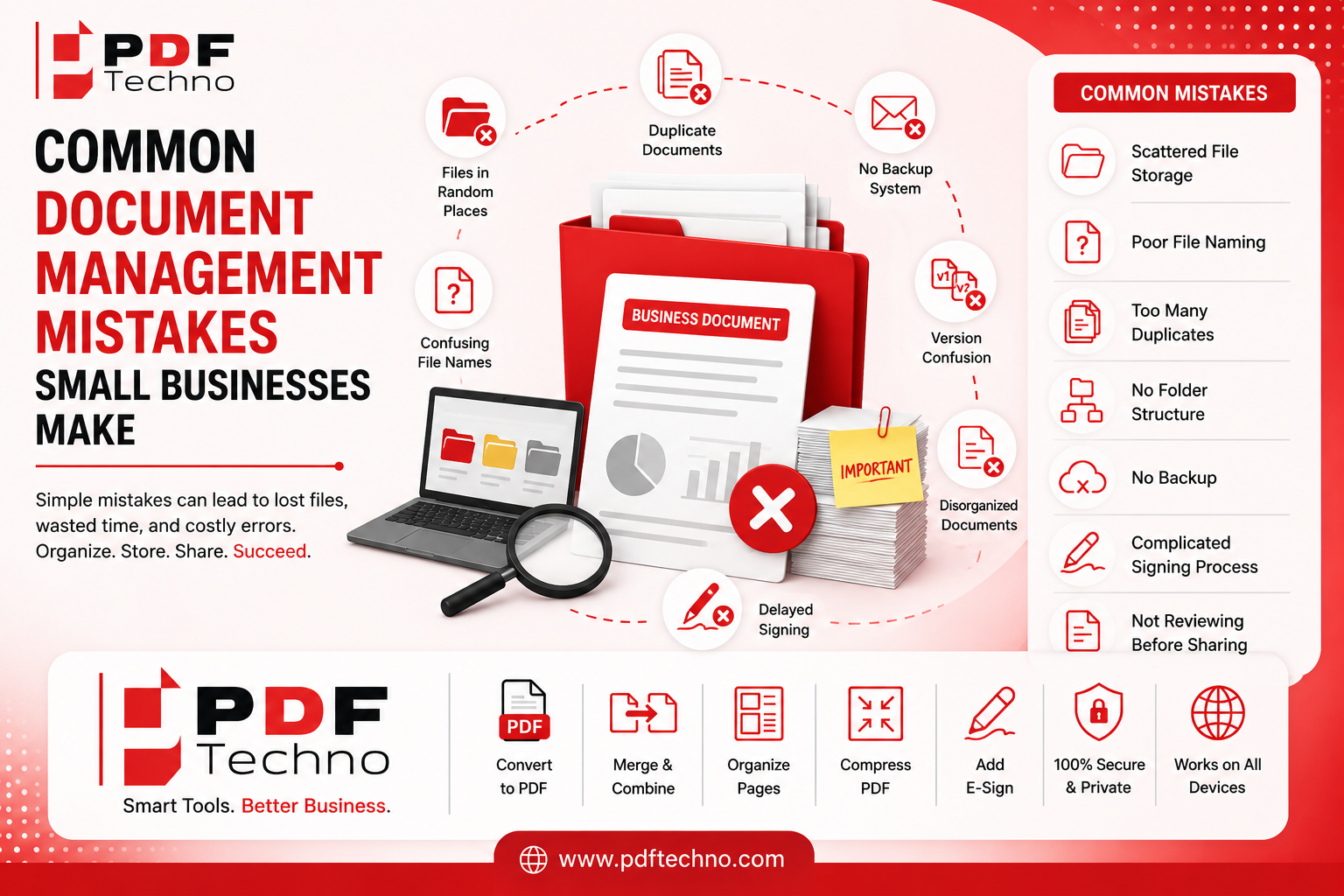
Common Document Management Mistakes Small Businesses Make
Running a small business involves handling a large number of documents every day. From invoices and contracts to employee records, reports, receipts, and client files, important information can quickly become difficult to manage.
Many small businesses focus on sales, customers, and daily operations but overlook how documents are organized. Poor document management can lead to wasted time, misplaced files, duplicate documents, version confusion, and unnecessary stress.
The good news is that many of these problems can be avoided with better document management practices and the right tools.
In this article, we'll look at some of the most common document management mistakes small businesses make and how to avoid them.
1. Keeping Files in Random Locations
One of the most common mistakes is saving important documents in different locations without a clear system.
For example, some files may be saved on a laptop, others on a phone, some in email attachments, and others in different folders. Over time, finding a specific document can become frustrating.
How to avoid it
Create a simple and consistent folder structure. For example:
- Business Documents
- Finance
- Clients
- Contracts
- Invoices
- Employees
- Reports
You can also create separate folders by year or month when necessary.
The goal is to make sure everyone knows exactly where a particular type of document should be stored.
2. Using Confusing File Names
Files with names like document1.pdf, final.pdf, final-new.pdf, or newfinal2.pdf can create major confusion.
After a few weeks or months, it may become difficult to understand what each file contains or which version is the latest one.
How to avoid it
Use descriptive and consistent file names.
For example:
Client-Name_Service-Agreement_August-2026.pdf
or
Invoice_Client-Name_2026-08.pdf
A good file name should quickly tell you what the document is without needing to open it.
3. Creating Too Many Duplicate Files
Duplicate documents can take up storage space and make it difficult to identify the correct version.
For example, the same invoice might be saved in multiple folders, downloaded several times, and sent through email. Soon, the business may have several copies of the same document.
How to avoid it
Before saving a file, check whether it already exists. Create a clear process for where original documents should be stored.
If you need to create a copy, make sure the file name clearly explains why it is different from the original.
4. Not Keeping Documents Organized by Category
When all business documents are stored in one large folder, finding something quickly becomes difficult.
Invoices, contracts, receipts, reports, and employee documents should not all be mixed together.
How to avoid it
Group documents by category and create a consistent structure.
For example:
- Financial Documents
- Client Documents
- Legal Documents
- Employee Records
- Marketing Files
- Business Reports
This simple step can make document management much easier as the business grows.
5. Forgetting to Remove Unnecessary Files
Many businesses keep every document forever, including outdated drafts, duplicate files, and documents that are no longer needed.
This creates unnecessary clutter and makes important files harder to find.
How to avoid it
Review your folders regularly and remove unnecessary files when appropriate.
However, make sure you understand which business, financial, or legal documents need to be retained before deleting them.
A regular cleanup schedule can help keep your document system organized.
6. Not Creating Backups of Important Documents
Losing important business documents can cause serious problems.
A computer can stop working, a phone can be lost, or a file can accidentally be deleted. If there is no backup, recovering the document may be difficult or impossible.
How to avoid it
Keep backup copies of important files in a reliable location.
For example, businesses can maintain copies in secure cloud storage or another appropriate backup system. Important documents should not depend on a single device.
Regular backups can help reduce the risk of losing valuable business information.
7. Relying Too Much on Paper Documents
Paper documents can be useful, but managing everything on paper creates challenges.
Physical files can take up space, become damaged, get misplaced, or take a long time to find. Sharing paper documents also requires additional steps.
How to avoid it
Where appropriate, create digital copies of important documents.
You can scan documents and save them as PDFs. This can make them easier to organize, search, store, and share.
A digital workflow does not always mean getting rid of every paper document. It means reducing unnecessary manual work and making important information easier to access.
8. Sending Large Files Without Checking Their Size
Large PDF files can create problems when sending documents through email or uploading them to online platforms.
This can lead to failed uploads or messages that cannot be sent.
How to avoid it
Check the file size before sharing it. If the document is too large, you may need to reduce its size while maintaining acceptable quality.
Online PDF compression tools can help make files easier to upload and share.
9. Not Combining Related Documents
Sometimes a business needs to send multiple related documents to a client, employee, or partner. Sending several separate files can be inconvenient and confusing.
For example, a business might need to share:
- A proposal
- A contract
- Supporting documents
- Additional reports
Sending each document separately can make it harder for the recipient to manage everything.
How to avoid it
When appropriate, combine related documents into a single PDF.
This can make files easier to organize, share, and review. It can also create a more professional experience for clients and team members.
Tools like PDF Techno can help users merge multiple PDF files online when they need to bring related documents together.
10. Ignoring Document Version Control
Version confusion is a common problem, especially when multiple people work on the same document.
Someone may accidentally edit an older version, while another team member uses a newer version. This can lead to mistakes and duplicated work.
How to avoid it
Use a clear version naming system.
For example:
Marketing-Plan_v1.pdfMarketing-Plan_v2.pdfMarketing-Plan_Final.pdf
For documents that go through many changes, consider including the date as well.
The important thing is to use a system that makes the latest version easy to identify.
11. Making Document Sharing More Complicated Than Necessary
Small businesses often waste time sending the same files repeatedly through different channels.
A document may be sent through email, messaging apps, and other platforms, creating multiple copies and confusion.
How to avoid it
Create a clear process for document sharing. Decide which method should be used for different types of files.
Before sending a document, make sure it is properly named, organized, and in the correct format.
Using PDF files can also help preserve document formatting when files are shared across different devices.
12. Delaying Document Signing
Traditional document signing can slow down business processes.
Printing a document, signing it, scanning it, and sending it back can take significantly more time than necessary.
How to avoid it
Use electronic signatures when they are appropriate for your workflow and requirements.
An electronic signature can simplify the signing process by allowing users to sign a document electronically instead of printing and scanning it.
PDF Techno provides an easy way to add an electronic signature to PDF documents, helping users complete document-related tasks more conveniently.
13. Not Using the Right File Format
Using the wrong file format can create compatibility problems.
A document may look different on another device, lose its formatting, or require special software to open.
How to avoid it
Choose a file format based on how the document will be used.
For documents that need consistent formatting and easy sharing, PDF is often a practical option. For images and other types of content, a different format may be more suitable.
The key is to consider compatibility, quality, and how the recipient needs to use the file.
14. Not Reviewing the Document Before Sharing
A simple mistake in a document can create an unprofessional impression.
Businesses sometimes send files without checking whether:
- The correct version is attached
- All pages are included
- The document is readable
- The file is properly named
- Unnecessary information has been removed
How to avoid it
Create a quick review process before sending important documents.
Taking just a few extra minutes can help prevent mistakes and reduce the need for follow-up emails or corrections.
15. Using Too Many Different Document Tools
Using separate software for every small task can make document management more complicated.
A business may use one tool for converting files, another for merging PDFs, another for compressing documents, and another for signing them.
Switching between multiple platforms can waste time.
How to avoid it
Look for a convenient set of tools that can handle multiple common document tasks.
For example, PDF Techno offers a range of online tools for working with PDFs, including options to convert, merge, organize, and manage documents. Having commonly used tools in one place can help simplify everyday workflows.
16. Not Training Employees on Basic Document Practices
Even the best document system will not work properly if employees do not know how to use it.
Different people may save files in different locations, use different naming styles, or create unnecessary duplicates.
How to avoid it
Create simple document management guidelines for your team.
These guidelines can include:
- Where files should be saved
- How documents should be named
- How different document types should be organized
- How to identify the latest version
- When and where important files should be backed up
The system does not need to be complicated. Simple rules that everyone follows are usually more effective.
How Better Document Management Helps Small Businesses
Improving document management can provide several benefits, including:
- Saving time when searching for files
- Reducing duplicate documents
- Making document sharing easier
- Creating more organized workflows
- Reducing the risk of using outdated versions
- Improving collaboration
- Helping businesses appear more professional
As a small business grows, the number of documents usually grows as well. Creating good habits early can prevent document management from becoming a bigger problem later.
Final Thoughts
Document management may not seem like the most exciting part of running a small business, but poor organization can quietly waste a significant amount of time.
Common mistakes such as confusing file names, duplicate documents, missing backups, poor organization, and delayed signing can make everyday work more difficult than necessary.
The solution is not always complicated software or an expensive system. Often, a clear folder structure, consistent file naming, regular backups, and easy-to-use document tools can make a big difference.
For businesses that regularly work with PDFs, PDF Techno can help simplify common tasks such as converting, merging, organizing, and managing PDF files, along with adding electronic signatures when needed.
By avoiding these common document management mistakes, small businesses can save time, reduce confusion, and build more efficient workflows as they grow.
FAQs
1. What is the biggest document management mistake small businesses make?
One of the biggest mistakes is saving important documents in random locations without a clear folder structure or naming system.
2. Why are duplicate documents a problem?
Duplicate files can create confusion, waste storage space, and make it difficult to identify the correct or latest version.
3. How can small businesses organize their documents better?
They can create clear folders by category, use descriptive file names, identify document versions, and regularly review unnecessary files.
4. Why should businesses back up important documents?
Backups can help protect important files from accidental deletion, device failure, loss, or other unexpected problems.
5. How can PDF Techno help small businesses manage documents?
PDF Techno can help with common tasks such as converting, merging, organizing, and managing PDF files, as well as adding electronic signatures when needed.