How to Convert JSON to PDF (Step-by-Step Guide for Beginners & Developers)
If you've ever downloaded API data, exported system logs, or worked with backend configurations, you've likely handled a JSON file.
JSON is powerful. It's structured. It's machine-friendly.
But it's not designed for presentation.
Try sharing a raw JSON file with a client, professor, compliance officer, or non-technical stakeholder, and you'll quickly realize the problem. It's difficult to read, poorly formatted for printing, and often not accepted by submission portals that require PDF documents.
The goal isn't to change the data.
It's to make the data usable.
In this guide, you'll learn the fastest way to convert JSON to PDF, when to use an online tool, and how to avoid formatting errors during conversion.
Let's start with the most efficient method.
What Is a JSON File and Why Would You Convert It to PDF?
JSON (JavaScript Object Notation) is a lightweight data format used to store and exchange structured information. It's the backbone of APIs, configuration files, web applications, mobile apps, and data exports.
If you've ever worked with API responses, downloaded analytics exports, handled database dumps, or stored configuration settings, you've interacted with JSON.
A simple JSON file might look like this:
{
  "name": "John Doe",
  "email": "[email protected]",
  "orders": [
    {
      "id": 101,
      "total": 250
    }
  ]
}
It's readable for developers. It's structured. It's efficient.
But here's the problem.
JSON is not presentation-friendly.
You cannot submit a raw JSON file to a client and expect them to understand it. You cannot upload JSON to most portals that require documentation. You cannot print JSON cleanly for reporting or auditing purposes.
JSON is built for machines.
PDF is built for humans.
That's exactly why users search for how to convert JSON to PDF. They're not trying to change the data. They're trying to make it readable, shareable, printable, and professionally presentable.
Converting JSON to PDF allows you to:
- Present API responses in structured documentation
- Share formatted data with non-technical stakeholders
- Archive logs in a fixed format
- Submit structured data in accepted document form
- Create reports from JSON exports
The goal is not transformation of logic.
It's transformation of presentation.
And that's where the right workflow matters.
When Do You Need to Convert JSON to PDF?
Understanding intent is critical.
Most users looking for an online JSON to PDF converter fall into one of these real-world situations:
1. Client Reporting
Developers often export data in JSON format from dashboards, CRMs, analytics platforms, or backend systems. While JSON is perfect for system integration, clients expect formatted documentation.
Instead of manually copying data into Word or Excel, converting the JSON file to PDF instantly creates a clean, professional document.
2. API Response Documentation
When sharing API responses with teams, vendors, or auditors, raw JSON files are not ideal. A structured PDF version ensures consistency and avoids accidental modifications.
3. Audit Logs and Compliance Records
Many systems generate logs in JSON format. For regulatory compliance or internal recordkeeping, these often need to be archived in PDF format for long-term storage.
A JSON file to PDF converter online makes this transition quick and standardized.
4. Academic and Research Submissions
Researchers and students frequently export datasets in JSON. When submitting project documentation or findings, PDF is usually mandatory.
Raw JSON rarely meets submission guidelines.
5. Internal Documentation and Archival
Companies that rely on structured data sometimes need static documentation snapshots. Converting JSON to PDF freezes the data in a non-editable, universally accessible format.
The pattern is clear.
JSON is excellent for systems. PDF is excellent for communication.
And that's why searches like "json convert to pdf" and "online convert json to pdf" continue growing. The need is not technical experimentation. It's workflow necessity.
How to Convert JSON to PDF Online (Fastest & Easiest Method)
For most users, the fastest way to convert JSON to PDF is using an online JSON to PDF converter.
Why?
Because manual methods require coding knowledge, formatting logic, and PDF rendering libraries. An online tool removes all that complexity and delivers a structured document in seconds.
Here's how the workflow typically works using a reliable tool like PDF Techno:
First, upload your JSON file directly from your device. There's no need to install software or configure settings.
Next, the tool automatically parses the JSON structure. This is important. A good converter doesn't simply dump raw text into a PDF. It formats the data in a readable structure, maintaining indentation, hierarchy, and clarity.
Then, the file is rendered into a clean PDF document. Nested objects remain structured. Arrays are aligned properly. Special characters are preserved.
Finally, you download the PDF instantly.
That's it. No coding. No manual formatting. No conversion scripts.
This is why searches for "online convert JSON to PDF" continue increasing. Users want speed and simplicity without sacrificing structure.
Why an Online JSON to PDF Converter Is More Efficient
If you attempt manual conversion, you'll need:
- A programming environment (Python, Node.js, etc.)
- A PDF rendering library
- Logic to format nested JSON properly
- Error handling for invalid JSON
- Styling rules for readable output
For developers, that's doable — but time-consuming.
For non-technical users, it's not practical.
An online JSON file to PDF converter eliminates that entire technical layer. It parses, formats, and converts automatically.
And when using a platform like PDF Techno, you also get:
- Fast processing
- Clean structured formatting
- No watermark
- No mandatory registration
- Secure file handling
Instead of spending 30 minutes writing a script, you complete the task in under 30 seconds.
That's workflow efficiency.
Step-by-Step: Convert JSON to PDF Using PDF Techno
If your goal is speed, clean formatting, and zero technical setup, here's exactly how to convert JSON to PDF using PDF Techno.
The process is designed for both technical and non-technical users.
Step 1: Upload Your JSON File
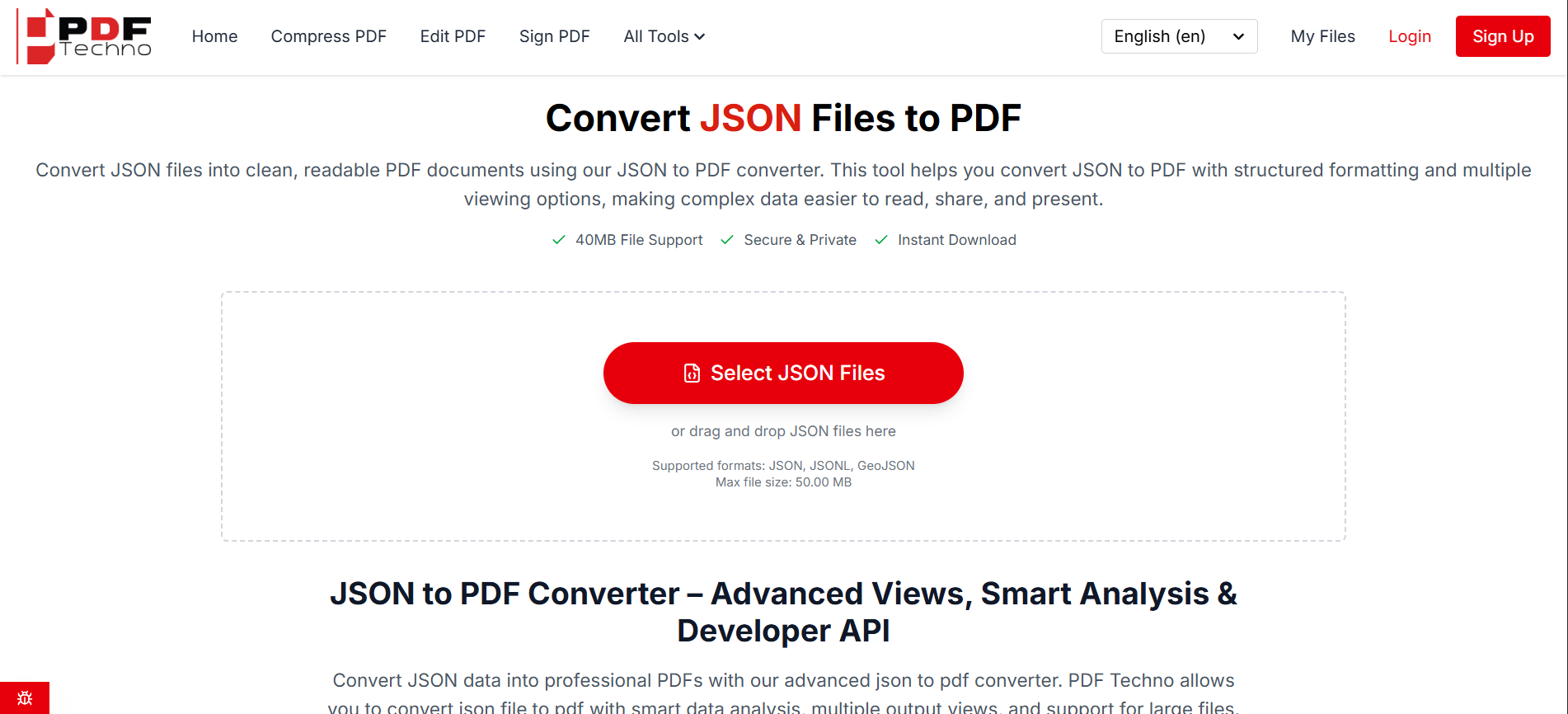
Open the JSON to PDF tool on PDF Techno and upload your file directly from your device. You can drag and drop the file or browse manually.
There's no software installation required and no need to configure rendering settings.
Step 2: Automatic Parsing and Formatting
Once uploaded, the tool reads the JSON structure. This is where quality matters.
A good online JSON to PDF converter doesn't just paste raw text into a PDF. It:
- Preserves indentation
- Maintains nested hierarchy
- Formats arrays properly
- Retains key-value alignment
- Ensures readability
Poor converters often flatten the structure, making complex JSON unreadable. PDF Techno maintains formatting so the output looks clean and structured.
Step 3: Generate and Download the PDF
After processing, your file is converted into a properly formatted PDF document.
You can download it instantly.
No watermark. No hidden restrictions. No forced sign-up.
For developers exporting API responses, analysts sharing structured data, or teams archiving logs, this workflow eliminates unnecessary complexity.
Instead of writing scripts or formatting manually, you can convert JSON to PDF online in seconds.
Need to convert JSON instantly without writing code? Use PDF Techno's online JSON to PDF converter to generate clean, structured PDFs in seconds — secure, fast, and completely free to start.
How to Convert JSON to PDF Manually (For Developers)
For technical users who prefer full control, manual conversion is possible. But it requires additional steps.
Here's what that process usually involves.
Method 1: Using Python
You would:
- Load the JSON file using the json module
- Format it as a readable string using json.dumps()
- Use a PDF library like ReportLab
- Render formatted text into a PDF layout
- Handle multi-page logic and spacing
Even a simple script quickly grows in complexity when dealing with:
- Large JSON files
- Deeply nested structures
- Special characters
- Page breaks
- Custom styling
You're not just converting. You're building a rendering engine.
Method 2: Using Node.js
In Node.js, you might:
- Parse JSON
- Use libraries like PDFKit
- Format indentation manually
- Handle page overflow
- Style headings and structure
Again, doable. But time-intensive.
Why Manual Conversion Is Not Ideal for Most Users
Manual coding makes sense if:
- You're building an automated reporting system
- You need custom PDF styling
- You're embedding conversion inside an application
But for one-time exports, documentation, academic submissions, compliance logs, or client reporting, writing scripts is unnecessary overhead.
Using a JSON file to PDF converter online like PDF Techno eliminates setup time and formatting errors while maintaining structured output.
JSON to PDF Formatting Challenges (And How to Avoid Them)
Converting JSON to PDF sounds simple on the surface.
But JSON isn't flat text. It's structured, nested data. And that structure creates formatting challenges during conversion.
If not handled properly, your PDF can become unreadable.
Let's break down the most common issues.
1. Deeply Nested Structures
JSON often contains nested objects inside arrays inside other objects. For example:
- User profiles containing order histories
- API responses containing metadata, pagination, and data arrays
- Logs containing nested event structures
If a converter does not properly preserve indentation and hierarchy, the output becomes a dense wall of text.
A reliable online JSON to PDF converter should:
- Maintain indentation
- Visually separate nested levels
- Keep key-value alignment intact
Readable structure is what transforms JSON from machine data into human documentation.
2. Large JSON Files
Some JSON exports can be thousands of lines long.
Common scenarios include:
- API data dumps
- Analytics exports
- Database backups
- System logs
Improper conversion may:
- Cut off content
- Break formatting across pages
- Distort spacing
- Freeze during processing
When converting large files, the tool must handle pagination intelligently. A structured PDF should:
- Break content across pages cleanly
- Avoid overlapping text
- Maintain consistent margins
This is where many basic converters fail.
3. Encoding and Special Character Errors
JSON files may contain:
- Unicode characters
- Emojis
- Non-English text
- Special symbols
If the converter does not handle encoding correctly, the PDF output may display corrupted characters.
A proper JSON file to PDF converter online must support UTF-8 encoding to preserve text integrity.
4. Pretty-Printed vs Raw JSON
Some JSON files are compact (minified), meaning they appear as a single long line without spacing.
Example:
{"name":"John","email":"[email protected]","orders":[{"id":101,"total":250}]}
This format is efficient for systems but unreadable for humans.
Before conversion, formatting the JSON (pretty printing) ensures clarity in the final PDF.
Good online converters automatically structure the data for readability rather than simply copying raw formatting.
Why Use PDF Techno for JSON to PDF Conversion?
When converting structured data like JSON, formatting quality matters just as much as file compatibility.
Many tools simply dump raw JSON text into a PDF container. The result? A messy, hard-to-read document that defeats the purpose of conversion.
PDF Techno approaches conversion differently.
It parses the JSON structure and generates a clean, readable PDF that preserves indentation, hierarchy, and formatting clarity. Whether your file contains simple key-value pairs or deeply nested arrays, the structure remains intact in the final document.
Here's what makes PDF Techno's online JSON to PDF converter practical for real-world workflows:
No coding required. You don't need Python, Node.js, or PDF libraries. Upload the file and download the formatted PDF in seconds.
Structured formatting maintained. Nested objects remain organized instead of collapsing into unstructured text.
Works across devices. Whether you're on Mac, Windows, or mobile, you can convert JSON to PDF online without installing software.
Secure file processing. Sensitive JSON data such as logs, reports, or exported system files are handled safely during conversion.
Zero friction. No forced sign-up. No watermark. No complex setup.
For developers, analysts, students, and teams handling structured data, this makes PDF Techno a practical solution rather than just a basic converter.
Conclusion: Converting JSON to PDF the Smart Way
JSON is designed for systems.
PDF is designed for people.
That distinction is the reason users search for how to convert JSON to PDF. They aren't trying to change the data structure. They're trying to make the data usable outside technical environments.
Manual conversion methods work, but they require time, formatting logic, and development effort. For quick documentation, reporting, archiving, or submission tasks, an online JSON to PDF converter is significantly more efficient.
By using a reliable tool like PDF Techno, you can convert JSON to PDF online in seconds while preserving structure, readability, and clarity.
The smart approach is simple:
Keep JSON for integration. Use PDF for communication.
And when you need fast, secure conversion, use the right tool instead of overcomplicating the process.
Frequently Asked Questions
How do I convert JSON to PDF for free?
You can convert JSON to PDF for free using an online JSON to PDF converter. Upload your JSON file, allow the tool to process it, and download the formatted PDF instantly without installing software.
What is the best online JSON to PDF converter?
The best online JSON to PDF converter preserves formatting, maintains nested structure, and does not add watermarks. Tools like PDF Techno are designed to parse JSON properly and generate readable PDF output.
Can I convert JSON to PDF without coding?
Yes. You do not need programming knowledge. An online convert JSON to PDF tool allows you to upload your file and generate a structured PDF automatically.
Does converting JSON to PDF change the data?
No. Conversion only changes the presentation format. The structure and content remain the same, but the output becomes readable and printable.
How do I convert JSON to PDF on Mac?
You can use an online JSON file to PDF converter in your browser on Mac. This avoids installing additional libraries or writing scripts.
Is it safe to use an online JSON to PDF converter?
It is safe if the platform uses encrypted connections and processes files securely. Always use reputable tools like PDF Techno that do not store files permanently.
Can I convert large JSON files to PDF?
Yes, provided the tool supports larger file sizes. For very large datasets, consider filtering unnecessary data before conversion to improve readability.
Why does my JSON to PDF conversion fail?
Common reasons include invalid JSON structure, corrupted files, encoding issues, or file size limitations. Validate your JSON before uploading to ensure smooth conversion.