How to Convert PNG to PDF Online for Free
PNG files are widely used for screenshots, scanned documents, design exports, charts, product images, and digital artwork. They preserve high image quality and support transparency, which makes them ideal for visual content.
However, when it comes to submitting documents, sharing multiple images, printing files, or sending attachments via email, PNG is not always the most efficient format.
PDF format solves problems that PNG cannot.
When you convert PNG to PDF online, you transform standalone image files into structured, portable, professional documents that:
- Support multiple pages
- Are universally compatible
- Print correctly
- Maintain formatting
- Compress better for sharing
Whether you're a student submitting assignments, a business professional sending invoices, or a designer sharing mockups, learning how to convert PNG to PDF online free is an essential digital skill.
How to Convert PNG to PDF Online Free (Step-by-Step Guide)
If you're searching for the fastest way to convert PNG to PDF online free, the process should be simple, secure, and completed in under a minute.
Here's exactly how it works using a modern tool like PDF Techno.
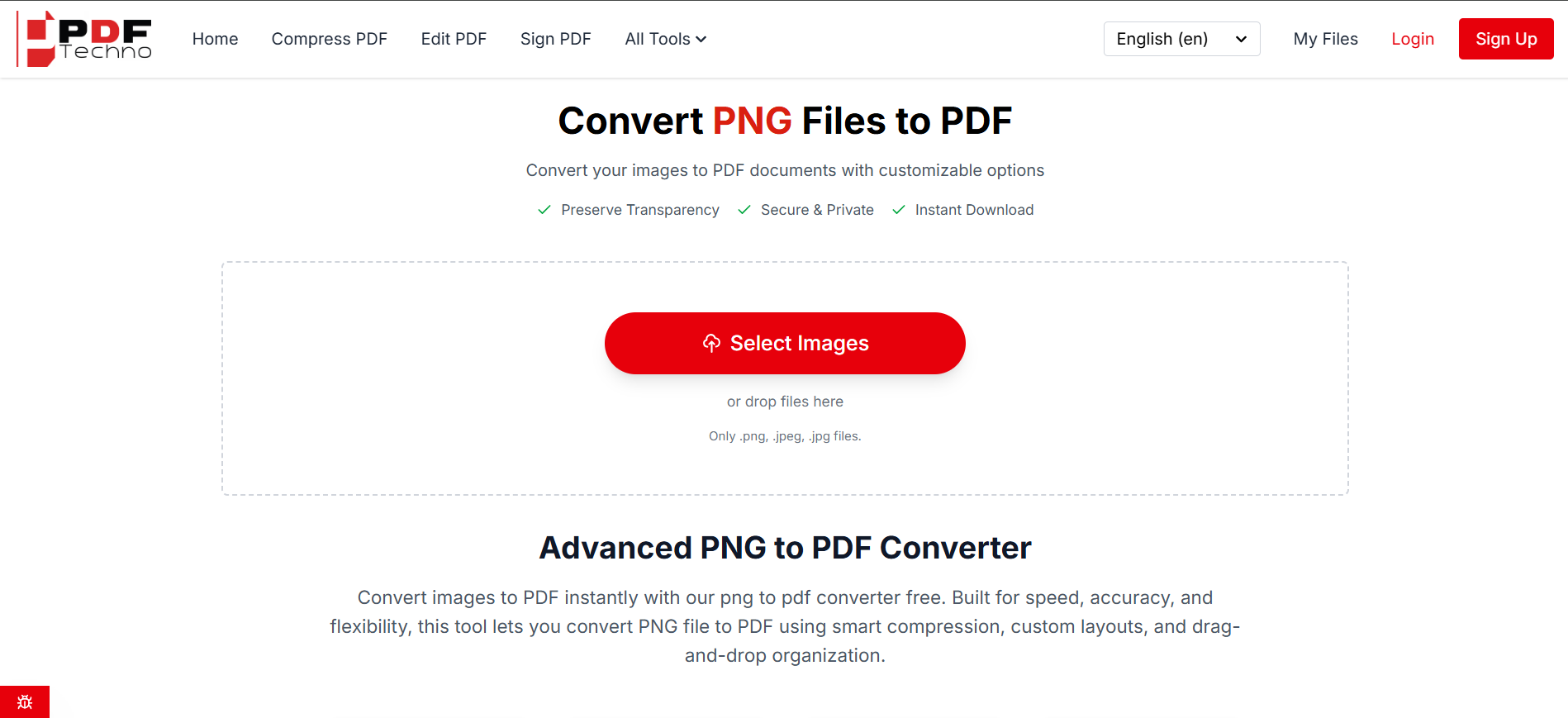
Step 1: Upload Your PNG File(s)
Start by opening the PNG to PDF tool.
You can:
- Drag and drop your PNG files
- Click to upload from your device
- Upload multiple PNG images at once
Whether you want to convert a single PNG image to PDF or merge multiple files, batch upload support makes the process seamless.
This step works for:
- Screenshots
- Scanned documents
- Digital artwork
- Image-based reports
If you are looking to convert PNG image to PDF for professional submission, uploading multiple pages at once saves time.
Step 2: Arrange & Organize Your Pages
Once your images are uploaded, you should be able to:
- Rearrange page order
- Rotate images
- Delete unnecessary pages
This is a crucial feature many free tools skip.
When you convert PNG to PDF online, page structure determines how professional the final document looks.
For example: If you scanned a contract in random order, you can easily drag pages into the correct sequence before generating the PDF.
Step 3: Adjust Layout & Compression Settings
Before clicking convert, adjust your settings.
A high-quality PNG to PDF online free tool should allow:
- Page orientation selection (portrait or landscape)
- Margin adjustments
- Compression level selection
If you're converting legal paperwork or high-resolution graphics, choose higher quality. If you're sending files over email and need smaller size, choose balanced compression. This flexibility ensures your convert PNG to PDF free process doesn't sacrifice clarity.
Step 4: Click Convert
Once everything is arranged properly, click convert.
Within seconds:
- Your PNG images are merged
- The PDF is generated
- The file becomes available for download
No watermark. No forced signup. No complicated steps.
The entire process of converting PNG to PDF online free should take less than 60 seconds.
Step 5: Download & Share
After conversion:
- Download the PDF instantly
- Share via email
- Upload to portals
- Print with correct formatting
Your images are now structured into a professional, multi-page PDF document.
Convert PNG to PDF Online Free on Mobile
Many users search for PNG to PDF online while using their phones.
The good news is modern web tools are fully mobile compatible.
Here's how mobile conversion works:
- Open the browser on your phone
- Upload PNG images from gallery or files
- Rearrange pages with touch controls
- Convert and download instantly
There is no need to install an app.
This is especially useful for:
- Students scanning homework
- Professionals converting screenshots
- Business owners sending invoices from mobile
If you're traveling or working remotely, being able to convert PNG to PDF online free directly from your smartphone is extremely convenient.
Why Convert PNG to PDF?
At first glance, PNG seems sufficient. It's clear, high-quality, and widely supported. But PNG files are static images, not structured documents.
That creates several limitations.
1. PNG Files Cannot Create Multi-Page Documents
If you have 10 scanned PNG pages, you'll end up sending 10 separate image files. That looks unprofessional and disorganized.
When you convert PNG to PDF online free, all images merge into one structured document.
This is essential for:
- Assignment submissions
- Legal paperwork
- Contracts
- Reports
- Portfolios
2. PNG Files Are Larger in Email Attachments
PNG images, especially high-resolution screenshots, can be heavy. Email servers often reject large attachments.
PDF compression reduces file size while preserving quality. A properly optimized PNG to PDF online conversion creates a lighter, shareable document.
3. Printing PNG Files Often Breaks Layout
PNG is not built for document printing. Margins, scaling, and orientation can shift unexpectedly.
PDF format preserves layout, making it print-ready across devices and printers.
4. Professional Presentation Matters
Sending raw PNG files can look informal.
Converting PNG image to PDF creates a clean, structured presentation suitable for:
- Client communication
- Academic submissions
- Business proposals
- Government applications
PDF format signals professionalism.
5. PDFs Are Universally Accepted
Many portals and official platforms only accept PDF uploads.
You might have your document in PNG format, but submission systems require PDF.
Instead of redesigning the document, you can simply convert PNG to PDF free in seconds.
When Should You Convert PNG to PDF?
Here are real-world situations where PNG to PDF online free becomes necessary:
Students: Scanning handwritten assignments into PNG images and merging them into one PDF before uploading to a college portal.
Freelancers: Turning design screenshots into structured proposal documents.
Business Owners: Combining invoice images into one client-ready PDF.
HR Teams: Merging scanned documents into official employee files.
Legal Professionals: Converting evidence screenshots into structured case files.
Content Creators: Compiling graphics into downloadable PDF resources.
If you frequently work with images, learning how to convert PNG image to PDF properly saves hours every month.
Common Mistakes People Make When Converting PNG to PDF Online
When users search for convert PNG to PDF online free, they often pick the first tool they see. Unfortunately, not all converters are built equally.
Here are the most common mistakes people make.
1. Using Low-Quality Converters That Reduce Image Clarity
Some free tools aggressively compress images to reduce file size. The result?
- Blurry text
- Pixelated screenshots
- Washed-out design files
If you're converting scanned documents or detailed graphics, quality loss can make the PDF unusable.
A proper PNG to PDF online tool should allow compression control instead of forcing it.
2. Ignoring File Security
Many users upload sensitive documents without checking whether the tool:
- Uses HTTPS encryption
- Deletes files after processing
- Stores uploaded data
When converting financial records, ID proofs, contracts, or invoices, privacy matters.
Before using any convert PNG to PDF free tool, always check if it clearly mentions secure processing and automatic file deletion.
3. Converting One Image at a Time
Some platforms only allow single-file conversion.
If you have 15 PNG files, converting them individually wastes time and creates disorganized PDFs. A modern PNG to PDF online free tool should support batch uploads and merging.
4. No Page Arrangement Option
Uploading images without the ability to:
- Reorder pages
- Rotate orientation
- Adjust margins
can result in incorrectly structured documents. When you convert PNG image to PDF, page control is essential for professional output.
5. Tools That Add Watermarks
Some "free" converters secretly add branding or watermarks to the final PDF. That defeats the purpose of professional document formatting. Always choose a tool that clearly states watermark-free conversion.
Understanding these mistakes helps you choose a smarter solution instead of just a random converter.
What to Look for in a PNG to PDF Online Free Tool
If you want to convert PNG to PDF free efficiently and safely, the tool you choose should meet certain standards. Here are the key features that matter.
1. Batch Conversion Support
A powerful converter should allow you to upload multiple PNG images and merge them into a single PDF.
This is essential for:
- Multi-page documents
- Scanned files
- Photo collections
- Reports
Batch support saves time and keeps everything organized.
2. Adjustable Compression Settings
Not all documents require the same level of compression.
For example:
- Legal documents need clarity
- Email attachments need smaller size
- Portfolios need high resolution
The best PNG to PDF online free tools allow you to choose between:
- High quality
- Balanced compression
- Smaller file size
This flexibility ensures you maintain control.
3. Drag-and-Drop Page Organization
When converting multiple files, you should be able to:
- Rearrange page order
- Remove unwanted images
- Rotate specific pages
This makes your final PDF structured and professional.
4. Fast Processing Speed
A reliable convert PNG to PDF online free tool should process files within seconds, not minutes.
Slow processing often indicates outdated systems or overloaded servers. Speed matters, especially for professionals working under deadlines.
5. No Login Required
Requiring signup for basic conversion creates friction.
A good PNG to PDF online tool should allow instant conversion without mandatory account creation.
6. Secure & Private Processing
Security is non-negotiable.
The tool should:
- Use encrypted connections
- Automatically delete files after conversion
- Avoid permanent storage
If a platform does not clearly state its privacy approach, avoid uploading sensitive content.
7. Clean, Ad-Light Interface
Too many pop-ups or aggressive ads can lead to accidental clicks or unsafe redirects. A clean UI improves workflow and builds trust.
Why PDF Techno Checks All These Boxes
If you're looking to convert PNG image to PDF quickly and safely, PDF Techno is designed around these exact principles.
It offers:
- Batch PNG uploads
- High-speed conversion
- Adjustable compression
- Drag-and-drop page sorting
- Watermark-free output
- No forced signup
- Secure processing
Instead of being a generic file converter, it's optimized specifically for smooth PNG to PDF online free conversion without compromising quality.
Why PDF Format Improves Workflow Efficiency
Now let's understand why converting PNG to PDF online free improves productivity beyond just file format.
1. Smaller, Optimized File Sizes
PNG images can be large, especially high-resolution screenshots.
PDF compression reduces overall file weight while maintaining clarity.
This makes:
- Email attachments easier
- Cloud uploads faster
- Storage more efficient
2. Better Document Structuring
PNG files are individual images. PDF files are structured documents.
That difference matters.
PDF allows:
- Multi-page arrangement
- Consistent formatting
- Better printing control
- Organized presentation
When you convert PNG image to PDF, you transform scattered files into a cohesive document.
3. Cross-Platform Compatibility
PNG files open as images. PDF files open as documents across:
- Windows
- macOS
- Android
- iOS
- Linux
PDF viewers are universal, which makes them ideal for official use.
4. Professional Perception
Sending 10 PNG attachments feels informal. Sending one clean PDF feels professional.
This matters in:
- Client communication
- Academic submissions
- Business proposals
- Government filings
Professional formatting builds trust.
Frequently Asked Questions (PNG to PDF Online Free)
1. How can I convert PNG to PDF online free without installing software?
You can convert PNG to PDF online free using a browser-based tool like PDF Techno. Simply upload your PNG file, arrange pages if needed, click convert, and download the PDF instantly. No software installation or signup is required.
2. Can I convert multiple PNG images into one PDF?
Yes. Most modern PNG to PDF online free tools allow batch uploads. You can upload multiple PNG files, rearrange them in order, and merge them into a single PDF document in seconds.
3. Does converting PNG to PDF reduce image quality?
It depends on the compression settings used. High-quality converters allow you to choose compression levels so you can convert PNG image to PDF without losing clarity. Selecting low compression maintains sharp text and images.
4. Is it safe to convert PNG to PDF online?
Yes, as long as you use a secure HTTPS-based tool that automatically deletes uploaded files after processing. Always choose a trusted PNG to PDF online platform that prioritizes data privacy.
5. What is the fastest way to convert PNG to PDF free?
The fastest method is using an online converter with drag-and-drop functionality. Upload your PNG files, arrange them, click convert, and download your PDF. The entire process typically takes less than a minute.
6. Can I convert PNG to PDF online free on mobile?
Yes. Most PNG to PDF online tools are mobile-friendly. You can upload images directly from your phone gallery and convert them into a PDF without installing any app.
7. Why should I convert PNG images to PDF instead of sharing them directly?
PDF files are more professional, support multiple pages, and are easier to print and share. Converting PNG to PDF online creates a structured document that looks cleaner and is widely accepted for submissions.
8. Is there a file size limit when using a PNG to PDF online free tool?
File size limits vary by platform. Advanced tools like PDF Techno support larger PNG files and batch processing, making them suitable for high-resolution images and multi-page documents.
9. Can I rearrange pages before converting PNG to PDF?
Yes. A good convert PNG to PDF online free tool allows drag-and-drop page reordering before generating the final PDF. This ensures correct document structure.
10. Do free PNG to PDF converters add watermarks?
Some free tools add watermarks to PDFs. Always choose a watermark-free PNG to PDF online free converter like PDF Techno if you need a professional-looking document.