PDF vs Word Documents: Which Format Is Better?
Digital documents are an essential part of modern communication, whether for business reports, academic assignments, contracts, or everyday file sharing. Two of the most commonly used document formats are PDF and Word. While both formats are widely supported and useful in different situations, they serve different purposes.
When deciding which format to use, many people compare PDF vs Word format to understand which one is better for editing, sharing, or preserving document layout. Each format offers unique advantages depending on how the document will be used.
Word documents are typically preferred for creating and editing content, while PDFs are often used for sharing finalized documents that should look the same on every device.
In this document format comparison, we will explore the differences between the two formats, discuss their strengths, and help you decide when to use each one.
What Is a PDF File?
A PDF (Portable Document Format) is a file format designed to preserve the layout, fonts, and formatting of a document regardless of the device or software used to open it.
Unlike editable documents, PDFs maintain a fixed structure, ensuring that the content appears exactly the same for every viewer. This reliability is one of the main reasons why PDFs are commonly used for professional and official documents.
Understanding how PDFs work helps explain many PDF advantages when it comes to document sharing and distribution.
How PDF Files Work
PDF files store documents in a way that preserves the visual structure of the page. Fonts, images, spacing, and layout remain consistent even when the file is opened on different devices.
Because the formatting is fixed, recipients see the document exactly as it was created. This feature is particularly useful when comparing Word vs PDF document formats for sharing finalized files.
This consistency makes PDFs one of the most reliable formats for distributing documents.
Common Uses of PDF Documents
PDF files are widely used across many industries because they provide a stable and secure format for sharing documents.
Some common uses include:
- Business reports and presentations
- Contracts and legal agreements
- Invoices and financial documents
- Research papers and academic materials
These use cases highlight why many organizations prefer PDFs when sending professional documents.
Key Benefits of PDF Format
One of the biggest PDF advantages is its ability to preserve document formatting. Regardless of the software or operating system used, the document will appear exactly as intended.
PDF files also offer additional features such as password protection, digital signatures, and compression options.
These capabilities make PDFs a preferred format when documents need to remain secure and visually consistent.
What Is a Word Document?
A Word document is a file created using word processing software such as Microsoft Word. Unlike PDFs, Word files are designed to be easily edited and modified.
Word documents are commonly used for drafting content, collaborating on documents, and making frequent changes to text or formatting.
When comparing Word vs PDF document formats, Word files are generally preferred for document creation and editing.
How Word Files Work
Word documents store content in a flexible format that allows users to edit text, change formatting, and reorganize sections easily.
Users can insert images, tables, and charts while continuously modifying the document structure.
This flexibility makes Word documents ideal for writing reports, creating assignments, and drafting documents that require ongoing updates.
Common Uses of Word Documents
Word documents are widely used in both academic and professional environments.
Some common examples include:
- Writing reports and essays
- Preparing business proposals
- Drafting letters and documents
- Collaborating on shared files
Because Word documents are easily editable, they are commonly used during the content creation stage.
Key Benefits of Word Format
The main advantage of Word files is editing flexibility. Users can quickly modify content, adjust formatting, and reorganize sections without restrictions.
Word documents also support collaboration features such as comments and tracked changes, which allow multiple users to review and edit the same file.
These features make Word a powerful option for creating and developing documents before converting them into finalized formats like PDF.
PDF vs Word: Key Differences
Both PDF and Word formats are widely used, but they serve different purposes depending on how the document will be used. Understanding the key differences helps users decide which format is more suitable for a specific task.
In this document format comparison, we will examine how these formats differ in terms of editing, compatibility, security, and file sharing.
Editing Flexibility
One of the biggest differences between the two formats is how easily the document can be edited.
Word documents are designed for editing. Users can modify text, change formatting, add images, and reorganize sections quickly. This makes Word files ideal for drafting and updating content.
PDF files, on the other hand, are generally intended for finalized documents. Editing a PDF often requires specialized tools or conversion to another format.
When comparing Word vs PDF document formats, Word clearly offers greater flexibility for editing.
File Compatibility
Compatibility is another important factor when choosing a document format.
PDF files are known for their universal compatibility. Almost every device, operating system, and browser can open PDF documents without changing their layout.
Word documents may sometimes appear differently depending on the software version or fonts installed on the system.
This is one reason why many organizations prefer PDFs when sharing documents across different platforms.
Security and Document Integrity
Security is another area where PDFs often have an advantage.
PDF files can include security features such as password protection, restricted editing permissions, and digital signatures. These features help protect the integrity of the document.
Word documents also offer some security features, but they are generally easier to modify.
Because of this, PDF advantages become clear when documents need to remain unchanged after distribution.
File Size and Sharing
File size can influence how easily documents are shared.
PDF files are often optimized for distribution and may be compressed to reduce size while maintaining quality. This makes them easier to share through email or online platforms.
Word documents may contain additional editing data that can increase file size.
In many situations, converting a Word document into a PDF helps simplify file format sharing and document distribution.
When You Should Use PDF Instead of Word
Although Word documents are excellent for editing, there are many situations where PDF is the better format. Choosing the right format helps ensure that documents remain secure, professional, and easy to share.
Official Documents and Contracts
PDFs are commonly used for official documents such as contracts, agreements, and legal records.
Because the formatting remains fixed, recipients can view the document exactly as it was created. This prevents accidental formatting changes that might occur in editable formats.
These characteristics highlight some of the most important PDF advantages for professional documents.
Sharing Final Documents
When a document is finalized and ready to be distributed, converting it into a PDF ensures that the formatting remains consistent.
This is especially important for reports, presentations, and proposals where layout and design are critical.
Many organizations convert Word files to PDF before sharing them to avoid formatting changes.
Protecting Document Formatting
Another advantage of PDFs is their ability to preserve formatting.
Word documents may appear differently if opened on another device with different fonts or software versions. PDFs prevent these inconsistencies by locking the layout.
For this reason, PDFs are often the preferred format for documents that must maintain a professional appearance.
When Word Documents Are the Better Choice
Although PDFs are ideal for sharing finalized documents, Word files are often the better option during the content creation and editing process. Word documents provide flexibility and collaboration features that make them useful for drafting and revising content.
Drafting and Editing Content
Word documents are designed specifically for writing and editing. Users can easily add text, change formatting, reorganize paragraphs, and insert images or tables.
This flexibility makes Word the preferred format when creating reports, assignments, or articles that require frequent updates.
When comparing Word vs PDF document formats, Word is usually the better option during the drafting stage.
Collaboration and Document Editing
Word files also support collaboration features that allow multiple people to work on the same document.
Features such as comments, tracked changes, and shared editing make it easier for teams to review and improve content together.
These capabilities are particularly valuable in workplaces and academic environments where documents often require feedback and revisions.
Creating Flexible Documents
Word documents are also useful when the document structure may change over time.
For example, reports or research papers may require additional sections, updated information, or changes to formatting.
Using Word during the creation stage allows authors to maintain flexibility before converting the document into a finalized format such as PDF.
Convert Between PDF and Word Easily with PDF Techno
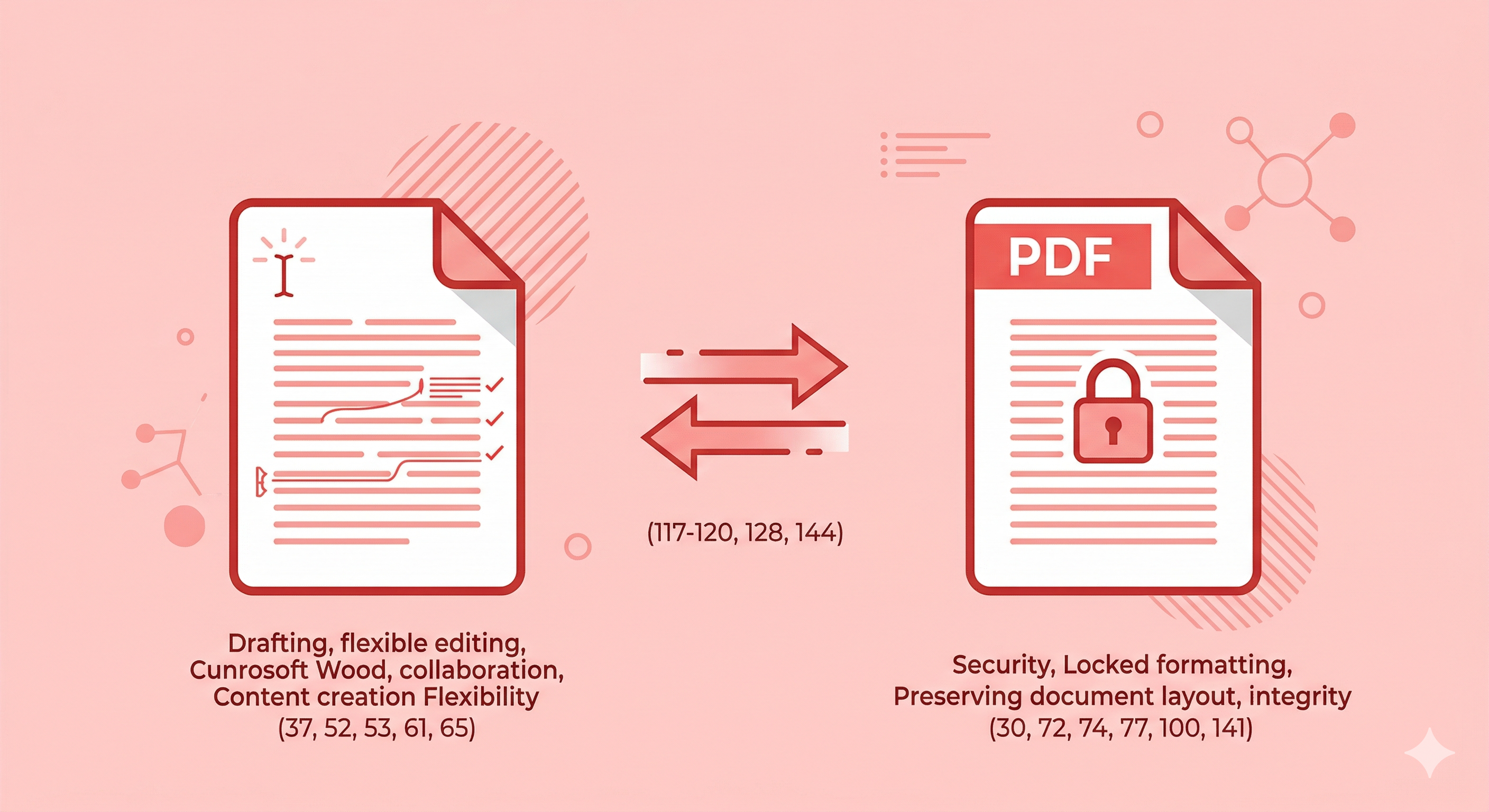
In many situations, users need to switch between document formats depending on their workflow. For example, a report may be written in Word and later converted to PDF for sharing.
Being able to convert between formats helps users combine the editing flexibility of Word with the distribution advantages of PDFs.
Why Convert Documents Between Formats
Converting documents between Word and PDF formats allows users to work with files in the most suitable format for each stage of the workflow.
For example:
- Word can be used for drafting and editing content.
- PDF can be used for sharing finalized documents.
This flexibility makes it easier to manage documents while maintaining both editing capabilities and formatting stability.
Convert PDF to Word or Word to PDF Quickly
Tools like PDF Techno allow users to convert documents between formats quickly and efficiently.
With PDF Techno, users can:
- Convert Word documents into PDF files for sharing
- Convert PDFs into editable Word documents
- Maintain document formatting during conversion
- Simplify their file format workflow
These tools help users take advantage of the strengths of both formats while maintaining efficient document management.
Conclusion
Both PDF and Word formats play important roles in digital document workflows. While they may appear similar at first glance, each format is designed for different purposes.
Word documents are ideal for drafting, editing, and collaborating on content. They provide flexibility that allows users to update text, reorganize sections, and make frequent changes during the document creation process.
PDF files, on the other hand, are designed for sharing finalized documents. Their ability to preserve layout, maintain formatting across devices, and provide security features highlights the key PDF advantages when distributing professional or official documents.
In this PDF vs Word format comparison, it becomes clear that the best format depends on how the document will be used. Many users create documents in Word and then convert them to PDF when the file is ready for distribution.
Tools like PDF Techno help simplify this workflow by allowing users to convert documents between formats quickly and maintain consistent formatting.
By understanding the strengths of each format, users can choose the right option for writing, editing, and sharing documents effectively.
Frequently Asked Questions
Which is better, PDF or Word? The better format depends on the purpose of the document. Word is ideal for editing and drafting content, while PDF is better for sharing finalized documents with consistent formatting.
Why are PDFs preferred for sharing documents? PDF files maintain the same layout and formatting across all devices and platforms, which makes them ideal for distributing documents.
Can I convert Word documents to PDF easily? Yes, many tools allow users to convert Word documents into PDFs quickly while preserving formatting.
When should I use Word instead of PDF? Word should be used when creating or editing documents that require frequent updates or collaboration.
What tools convert PDF and Word files? Several tools allow users to convert between formats, helping them manage documents efficiently during both editing and sharing stages.