Why AI Is Still Lagging Behind for Document-Heavy Tasks – All You Need to Know in 2026
Introduction
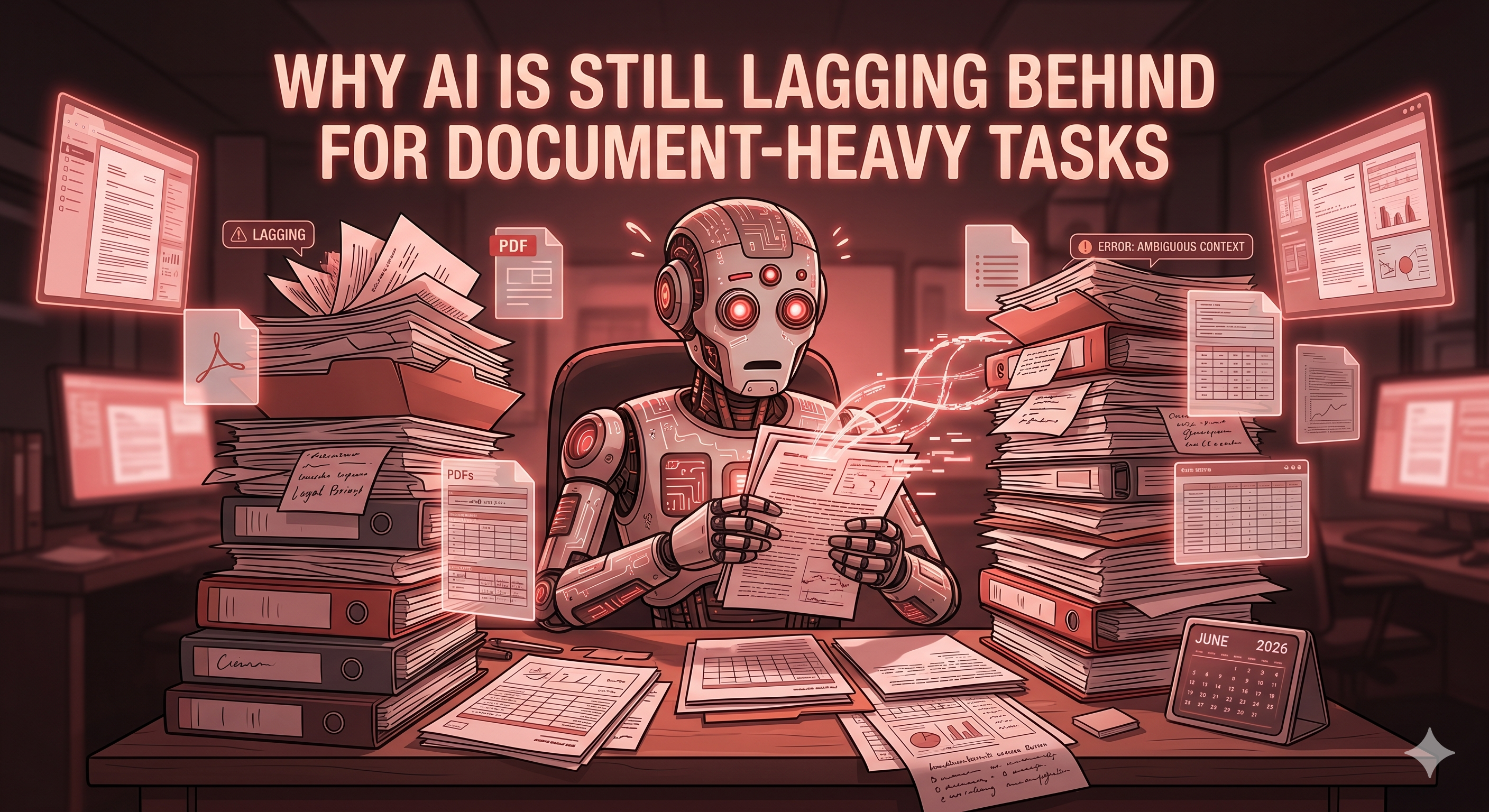
Artificial Intelligence has transformed the way we work. From generating content and answering questions to automating workflows, AI tools have become a part of everyday business operations. However, despite rapid advancements in AI technology, document-heavy tasks remain one of the biggest challenges for AI systems in 2026.
Organizations across industries still rely on PDFs, scanned documents, contracts, invoices, reports, forms, and compliance records. While AI can process these documents to some extent, it often struggles with accuracy, context, formatting, and reliability. This is why businesses continue to use specialized document management and conversion tools alongside AI solutions. This is where reliable document-processing platforms like PDF Techno play an important role by helping users manage, convert, organize, and optimize documents efficiently while maintaining accuracy and quality.
In this guide, we'll explore why AI still falls short when handling document-heavy workflows and what businesses can do to overcome these limitations.
What Are Document-Heavy Tasks?
Document-heavy tasks involve processing, organizing, analyzing, converting, and managing large volumes of documents. These may include:
- Legal contracts
- Financial statements
- Medical records
- Government forms
- Research papers
- Business reports
- Scanned PDFs
- Invoices and receipts
Unlike simple text-based content, these documents often contain complex layouts, tables, charts, images, signatures, stamps, and handwritten information.
Why AI Struggles with Document-Heavy Workflows?
1. Complex Document Structures
Modern documents are not just blocks of text. They contain multiple elements such as:
- Tables
- Graphs
- Headers and footers
- Multi-column layouts
- Embedded images
- Annotations
AI models frequently misinterpret these structures, resulting in incorrect extraction or formatting errors.
2. Difficulty Understanding Context
AI can identify words and sentences, but understanding the intent and legal significance of information remains challenging.
For example, a contract may contain similar clauses with completely different legal implications. Missing a single word can change the meaning of an entire document.
3. Problems with Scanned Documents
Many businesses still store documents as scanned PDFs. Issues such as:
- Low image quality
- Blurred text
- Skewed pages
- Handwritten notes
- Old photocopies
can significantly reduce AI accuracy during OCR (Optical Character Recognition) processing.
4. Hallucinations and Inaccuracies
One of AI's biggest limitations is hallucination. Instead of admitting uncertainty, AI systems may generate information that appears correct but is actually inaccurate. In document-heavy environments such as healthcare, finance, or law, even minor inaccuracies can create serious consequences.
5. Large Document Limitations
Although AI context windows have improved significantly, businesses often work with documents containing hundreds or thousands of pages. Processing:
- Annual reports
- Compliance manuals
- Legal case files
- Technical documentation
can exceed AI memory limitations and lead to incomplete analysis.
6. Formatting Preservation Challenges
Maintaining exact formatting is critical for many organizations. AI often struggles to preserve:
- Fonts
- Alignment
- Tables
- Pagination
- Layout consistency
This becomes particularly problematic when converting between formats such as PDF, Word, Excel, TIFF, or PowerPoint.
7. Data Privacy and Compliance Concerns
Many businesses handle confidential information. Examples include:
- Customer records
- Financial data
- Employee documents
- Medical information
Uploading sensitive documents to AI platforms may raise concerns related to:
- GDPR compliance
- HIPAA regulations
- Data retention policies
- Security risks
8. Industry-Specific Challenges
AI often struggles in industries such as legal, healthcare, finance, and government, where documents require high accuracy, regulatory compliance, and careful handling. Even a small mistake in contracts, medical records, or financial reports can lead to significant consequences, making human oversight essential for many document-related tasks.
Why Specialized Document Tools Still Matter
While AI can assist with document analysis and automation, businesses still require dependable document-processing solutions for everyday operations. PDF Techno provides practical tools that help users convert, edit, compress, merge, and manage documents without compromising formatting or file integrity. These capabilities remain essential because AI-generated outputs can sometimes introduce errors that are unacceptable in professional environments.
Businesses often combine AI capabilities with professional document processing solutions to achieve better results.
How PDF Techno Helps Businesses Manage Documents Efficiently?
At PDF Techno, we understand that document management requires more than just AI-powered automation. Our document tools help users:
- Convert files between multiple formats
- Manage PDFs efficiently
- Preserve document quality
- Improve workflow productivity
- Simplify document organization
- Reduce manual processing effort
Whether you're working with PDFs, images, reports, or business documents, PDF Techno provides practical solutions designed for real-world document workflows.
The Future of AI for Document Processing
The future of AI in document processing looks promising, with advancements expected in areas such as OCR accuracy, document classification, information extraction, and workflow automation. AI will become better at understanding document layouts, processing large files, and reducing manual effort. However, for complex, sensitive, or compliance-driven documents, human oversight and specialized document tools will continue to play an important role. The most effective approach will be a combination of AI-powered automation and reliable document management solutions that ensure accuracy, security, and efficiency.
However, experts agree that fully replacing human oversight for complex document-heavy tasks remains unlikely in the near future.
Tips for Managing Document-Heavy Workflows in the AI Era
While AI can help automate certain document tasks, it's important to use it wisely. Always review AI-generated outputs for accuracy, especially when working with legal, financial, or business documents. Keep documents well-organized, use high-quality scans for better OCR results, and combine AI tools with reliable document management solutions to ensure efficiency, security, and consistent formatting.
Conclusion
AI has made remarkable progress, but document-heavy tasks remain one of its biggest challenges. Complex layouts, contextual understanding, formatting requirements, privacy concerns, and accuracy limitations continue to prevent AI from fully replacing traditional document workflows. As businesses increasingly rely on digital documents, specialized solutions like PDF Techno remain essential for ensuring reliable, secure, and accurate document management. Rather than replacing document tools, AI is becoming a valuable assistant that works alongside them, helping organizations process information more efficiently while maintaining the accuracy that critical documents demand.
Frequently Asked Questions (FAQs)
1. Why is AI still lagging in document-heavy tasks?
Because complex layouts, formatting, and context are difficult for AI to process accurately.
2. Can AI fully replace document processing tools?
No, AI can assist but cannot completely replace reliable document management solutions.
3. Which documents are hardest for AI to handle?
Contracts, medical records, financial reports, government forms, and scanned PDFs.
4. Does AI work accurately with scanned documents?
Not always. Poor-quality scans and handwritten text can reduce accuracy.
5. Is human review still necessary?
Yes, especially for sensitive, legal, financial, or compliance-related documents.